1300 760 441
 cs@factoryfast.com.au
Laptop Stands and Tables Buyer Guide: Choose the Right Setup for Work, Study or Flexible Use
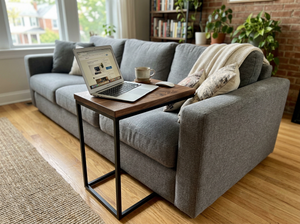

A laptop makes it possible to work almost anywhere, but the nearest flat surface is not always a useful workstation. A coffee table can place the screen too low. A narrow tray may leave no room for a mouse. A portable table may suit an hour of study yet feel restrictive when it has to hold a laptop, charger, notebook and drink at once.
The best choice depends less on the product name than on where you will sit, how long you will use the setup and what must fit around the computer. The Factory Fast range of laptop stands and tables includes compact angled supports, folding trays and mobile surfaces, giving Australian households several ways to create a temporary or semi-permanent workspace without committing to a large desk.
This guide takes you through the real buying decisions: stand or table, fixed or adjustable, lap-based or freestanding, compact or mouse-friendly, and portable or stable enough to remain in place.
Start with the place where you will actually use the laptop
Begin with the room and seat rather than a list of features. A stand that works well on a desk solves a different problem from a table designed to bridge your lap or roll alongside a sofa.
At a fixed desk
A desktop laptop stand is most useful when the desk already provides enough space for separate input devices. Raising or angling the computer can improve screen positioning, but it also changes the angle of the built-in keyboard. If you expect to type for extended periods, allow room for a separate keyboard and mouse in front of the stand.
Measure the usable desktop depth, not only the overall furniture depth. Monitor bases, shelves, cable holes and wall clearance can reduce the area available. Also check whether the stand's feet or base will interfere with notebooks, speakers or a desk mat.
On a bed, sofa or floor
A laptop desk for bed or sofa use needs its own legs, lap cushion or stable base. Here, the key dimensions are the clearance over your legs, the distance between the supports and the surface width. A model can be wide overall but still feel cramped if its legs sit where your knees naturally rest.
Tilt is useful for reading, watching or drawing, but typing on a steep surface is rarely the same experience as typing on a flat desk. Look for a stopper or baffle that helps keep the device in position, then consider whether that edge will press against your wrists during keyboard use.
Moving between rooms
For a household without a dedicated office, mobility may matter more than the smallest possible folded size. A laptop table with wheels can move between a bedroom, living area and study while keeping a working surface ready. A folding model is easier to store but normally has to be set up again for each session.
The practical distinction is simple: choose wheels when you want to move the workstation intact, and choose a foldable design when you want the furniture to disappear after use.
Choose the right type of support before comparing details
Laptop supports fall into several functional groups. Deciding which group fits your routine prevents attractive but irrelevant features from driving the purchase.
A desktop stand for an existing workstation
This is the compact option for a person who already owns a suitable table. It can free some space beneath the computer and alter the screen angle without adding another piece of furniture. It is a sensible fit for a home office, study desk or shared workstation where the laptop stays in one general location.
The main trade-off is that a raised computer normally calls for external input devices. Check the stand's platform dimensions, adjustment points and contact pads against the laptop's width, depth and base design.
A folding table for temporary work or study
A folding laptop table creates a self-contained surface and then packs away. It can suit bedrooms, small apartments, student rooms and multipurpose living spaces. Some models prioritise a broad top; others separate the laptop and mouse areas or provide adjustable leg joints.
The portable laptop desk with a mouse tray shows the more equipment-focused approach. Its aluminium-alloy and plastic structure weighs 1.4 kg, adjusts from 18.9 to 48 cm high and folds to 53 x 26 x 4 cm. The main tray is 420 mm long, while a separate 160 x 180 mm platform gives the mouse its own area. Its stated maximum load is 15 kg.
Those figures matter together. The folded profile is relevant to storage; the adjustment range determines which seating positions it can serve; and the separate mouse surface decides whether it can support more than trackpad-only use.
A lap desk for short, flexible sessions
A cushioned lap desk places a firm surface between the computer and the user without using legs. This style is easy to carry and has no floor footprint, making it useful for browsing, reading, light administration or short study sessions. Its limitations are equally clear: the working height is largely set by the user's lap, and the load remains on the body.
Check that the top can hold the computer at its widest point, not merely that the advertised screen size sounds compatible. A built-in mouse pad, wrist rest and carry handle can be more valuable than extra decorative features if the desk will move frequently.
A mobile table for a semi-permanent setup
A wheeled table sits between a folding tray and a full desk. It can offer a conventional working height, remain assembled and move as one unit. The base shape is critical because the frame must fit under or around the bed, sofa or chair.
The adjustable mobile laptop desk has a 60 x 40 cm top, a 58 cm base and an adjustable height of 70 to 90 cm. Its 17 mm MDF and chipboard surface is supported by a powder-coated carbon-steel frame, with caster wheels for movement. Before choosing this format, measure both the furniture clearance and the route between rooms.
Use five checks to build a laptop-table shortlist
Once the format is clear, assess each candidate in the same order: working height, usable surface, adjustment, stability and storage. This keeps the comparison tied to daily use.
1. Match the height to the seat and task
There is no single correct laptop-table height because a bed, floor cushion, dining chair and sofa place the user at different levels. Sit where you plan to work and measure vertically from the floor or mattress to a comfortable working surface. For a table that spans the legs, also measure the clearance needed above the thighs and blankets.
An adjustable range is valuable only when it includes the positions you will use. The 18.9 to 48 cm range of the folding aluminium model serves low setups, while the wheeled table's 70 to 90 cm range suits furniture-side placement. These are not interchangeable height systems.
2. Measure the whole working kit
Start with the laptop's actual footprint while open. Add the mouse area, charging plug, notebook and any device that must remain on the surface. A large-screen computer can fit within a top yet leave no useful room at the side.
Surface depth affects more than device fit. It influences wrist position, how far the screen sits from the user and whether the laptop can be moved back when a separate keyboard is added. For a compact table, decide which accessories are essential and which can sit elsewhere.
3. Decide which adjustments will be used
Height adjustment changes the relationship between the surface and the seat. Tilt adjustment changes the viewing or working angle. Rotation can help position a split top, but it does not replace adequate base clearance. Prioritise the mechanism that solves your recurring problem.
For mixed study tasks, the laptop table for bed with adjustable tilt top and drawer offers five height levels across approximately 27 to 39 cm and four tilt positions at 0, 12, 24 and 36 degrees. Its approximately 60 x 45 cm top also includes a removable stopper, portable book support and small storage drawer. That combination suits a user moving between typing, reading and handwritten notes more closely than someone who needs a conventional chair-height workstation.
4. Check stability as a complete system
Stability comes from the base, joints, surface and floor or cushion beneath the product. A stated load rating is only one part of the decision. A light laptop can still feel unsteady if the legs are set unevenly, the surface is heavily tilted or a narrow mouse tray is pushed during use.
For folding products, inspect how adjustments lock and whether both sides can be set consistently. For wheeled designs, confirm that the castors can be secured after positioning. On a soft mattress or deep sofa, allow for the support surface to shift under the table even when the frame itself is firm.
5. Plan where it will live after work
Portable furniture still needs a storage address. Check the folded thickness, length and width against the cupboard, gap under the bed or shelf you intend to use. Include any removable mouse tray, stopper or book holder in that plan so the components stay together.
If the table will remain assembled, map its parked position and make sure it does not obstruct drawers, doors or walking space. A mobile model earns its floor area when it can move easily and has somewhere intentional to wait between sessions.
Compare materials by use, weight and care
Material affects portability, appearance, surface feel and cleaning. It should be judged alongside the frame design rather than used as a shortcut for quality.
Aluminium alloy and plastic favour low carrying weight
An aluminium-based folding frame can make frequent room-to-room movement easier. Plastic joints and platforms help keep the overall weight down, but the adjustment points deserve attention because they govern the final position. This combination suits buyers who value compact storage and multiple configurations.
MDF and steel create a furniture-style mobile table
MDF provides a smooth, familiar work surface, while a steel frame gives a wheeled table a more permanent furniture structure. This pairing works well when the table will stay assembled. Keep liquids away from exposed edges, wipe spills promptly and check fasteners periodically after moving the unit across different floor surfaces.
Bamboo suits a warmer, multipurpose look
Bamboo can blend more naturally into a bedroom or living area than a technical black stand. The folding bamboo laptop bed table has a 71 x 34.5 cm adjustable-angle surface and a height range of 27 to 34.5 cm. Its larger top suits reading and writing alongside laptop use, while the foldable format supports compact storage. Wipe it with a lightly damp cloth and dry the surface rather than leaving moisture sitting on it.
Cushioned lap desks prioritise contact comfort
This style combines a rigid upper surface with a fabric cushion underneath. Compare the top material, cushion distribution and wrist edge. A broad worktop may accommodate a mouse, but only if the cushion keeps the surface balanced once the device sits off-centre.
Build the rest of the workstation around the support
A stand or table changes where the laptop sits, but it does not solve every workspace decision by itself. Screen height, keyboard position, mouse access, chair support, cable routing and lighting still need to work together.
If the computer is raised close to eye level at a desk, place a separate keyboard and mouse where the forearms can rest without reaching upward. If you are using a bed table for a short session, keep the tilt modest for typing and use steeper settings for reading or viewing. Change position when a temporary setup begins to feel restrictive rather than expecting one adjustment to suit every task.
Cable placement is easy to overlook. Check which side the charging port occupies and leave room for the plug without sharply bending the lead. Keep ventilation openings clear, especially on cushioned surfaces. A rigid table or lap desk creates separation from bedding, but the laptop's own vents still need open space.
For a complete room setup, browse office furniture for Australian workspaces and consider the chair, storage and task lighting at the same time. A compact support is most effective when the surrounding pieces do not force it into an awkward position.
Match the product to the primary user
The same table can be convenient for one person and frustrating for another. Choose for the most demanding regular task rather than the easiest occasional use.
Home workers with a permanent desk
Prioritise a desktop stand with dependable adjustment and space underneath, then budget room for external input devices. If papers, a monitor or several accessories are used daily, the desk surface must carry the full setup without crowding.
Students in compact or shared rooms
A folding model can turn a bed or floor area into a temporary study zone and then return the room to its normal use. A broad top, book support and drawer may be more useful than extreme angle adjustment. Consider how often the table will be packed away and whether its weight is manageable for the intended user.
Casual users who work from the sofa
A lap desk suits email, browsing and short sessions because it is quick to place and remove. A mobile table is the better candidate when the user wants a separate surface at chair height, room for a mouse or less weight resting on the lap.
Households sharing one flexible workstation
Look for an adjustment range that covers each user's seat and task. The mechanism should also be straightforward enough to reset without guesswork. Marking preferred positions after setup can save time, provided this does not interfere with the product's finish or controls.
Know when a full computer desk is the better buy
A portable table is not automatically a smaller substitute for a complete workstation. A full desk becomes the stronger choice when the setup includes an external monitor, full-size keyboard, paperwork, speakers or equipment that stays connected. It also gives the chair a consistent reference point and can offer integrated storage.
Explore computer desks and tables when you need more depth, a fixed equipment layout or a long-session workspace. A laptop stand can still sit on that desk to change screen position, so the decision is sometimes between a portable table and a desk-plus-stand combination rather than between two mutually exclusive products.
The dividing question is whether flexibility or equipment capacity matters more. If the computer needs to follow you through the house, a compact support earns its place. If everything else must gather around the laptop, start with a proper desk footprint.
Avoid the buying mistakes that create an awkward setup
Do not choose only by advertised laptop screen size. Screen measurements are diagonal, while tables must accommodate the base width and depth. Use the computer's physical dimensions and allow for connected cables.
Do not assume every angled stand is comfortable for typing. A tilt that improves viewing can change wrist position and make the built-in keyboard less practical. Decide whether the main activity is typing, reading, drawing or watching before prioritising the angle range.
Do not overlook the base. For mobile tables, measure the gap beneath the bed or sofa and note crossbars or reclining mechanisms. For folding trays, check the space between the legs. For lap desks, consider whether the cushion remains balanced when a mouse is used at one side.
Finally, do not treat "portable" as a complete storage plan. Before ordering, outline the product's working surface on newspaper, place your laptop, mouse and notebook within it, then mark the proposed folded or parked location in the room. That five-minute mock-up can reveal a blocked charging port, missing mouse space or a table that has nowhere sensible to go.
Frequently Asked Questions
Can I use a laptop stand without a separate keyboard?
You can for short periods if the stand keeps the built-in keyboard at a comfortable, stable angle. Raising the screen substantially also raises and tilts the keyboard, which may make longer typing sessions awkward. For a fixed desk setup, plan enough space for a separate keyboard and mouse. For occasional browsing or video calls, the laptop's own controls may remain practical.
What size table do I need for a large laptop?
Measure the laptop's width and depth rather than relying only on its diagonal screen size. Add space for the charging connector, ventilation and any mouse or notebook used at the same time. A 60 x 40 cm surface may suit a computer-only setup, while broader tops provide more room for study materials. Compare those needs with the product's usable surface, not its overall frame dimensions.
Is a laptop table for bed suitable for daily work?
It can support daily short sessions, but suitability depends on the table height, leg clearance, surface stability and the way you sit. A bed is softer and less predictable than a desk-and-chair setup, so one position may become restrictive over time. For longer work blocks, a mobile table beside the bed or a dedicated desk usually provides more consistent placement for input devices and accessories.
How do I keep a laptop from sliding on a tilted table?
Choose a model with a stopper, lip, baffle or grippy surface designed to hold the device when angled. Confirm that the retaining edge contacts the laptop base securely without covering vents or pressing uncomfortably against your wrists. Begin at a shallow angle and check stability before increasing it. Cables should have enough slack that they do not pull the computer sideways.
Will a mobile laptop table fit under my sofa or bed?
Only if the base dimensions and frame height suit the furniture clearance. Measure the open space beneath the sofa or bed, including any centre supports, storage drawers and moving mechanisms. Then compare this with the table's base length, width and wheel height. Also check whether the upright can approach closely enough to place the worktop in a useful position.
How should I clean a laptop stand or portable table?
Use a soft, lightly damp cloth and dry the surface after cleaning. Avoid soaking MDF, bamboo, fabric cushions or adjustment joints, and do not use a cleaner unless it suits the stated material. Remove dust from hinges, locks and castors so movement remains smooth. Check screws and adjustment points occasionally, particularly on a folding or wheeled table that is moved regularly.
-
 Tags:
Laptop Stands and Tables