1300 760 441
 cs@factoryfast.com.au
Ergonomic Office Chairs: What to Look For Before You Buy


An office chair can look supportive in a product image and still be the wrong match for the person, desk or room. The useful question is not simply whether a chair is labelled ergonomic. It is whether its dimensions and adjustment points let the user create a workable position for the tasks they perform most often.
That makes chair selection a fit exercise. Seat height affects how the feet and legs are positioned. Seat size influences whether the user can sit back against the backrest. Armrests can support the forearms or prevent the chair from moving close enough to the desk. Upholstery changes airflow and cleaning needs, while the base and castors determine how much room the chair needs to move.
Use this guide to assess those variables in order, then compare the current range of ergonomic office chairs with measurements from your own workstation.
Start With the User, Not the Feature List
The same chair does not suit every user or every kind of desk work. Before comparing mechanisms, define who will use the chair, how long a typical work session lasts and whether one person or several people will share it.
One regular user or a shared workstation?
A chair for one regular user can be adjusted once and refined over time. A shared chair needs simple, accessible controls and enough adjustment range for different users. Height adjustment becomes especially important, but it is only one part of the decision. A chair may rise high enough while its seat remains too deep, its armrests sit too wide or its backrest support misses the intended area.
For a shared study space, hot desk or family workstation, prioritise controls that can be reset quickly. For a dedicated home office, put more weight on precise fit, upholstery preference and the type of support the user finds comfortable across repeated sessions.
What work happens in the chair?
Typing, reading, drawing and moving between several work surfaces place different demands on a chair. Computer work generally benefits from a position that lets the user approach the keyboard without reaching forward. Paper-based tasks may require more frequent changes in angle. Work involving drawers, printers or a second surface can make swivel movement and suitable castors more valuable.
The broader office chairs collection is useful when comparing ergonomic, task and executive-style designs. Treat the category name as a starting point, then examine the actual controls, dimensions and materials of each model.
Check the Adjustments That Affect Everyday Fit
More controls are not automatically better. An adjustment matters when it solves a real fit problem and is easy enough to use. Focus first on seat height, backrest relationship, tilt and armrest clearance.
Seat height should work with both the user and the desk
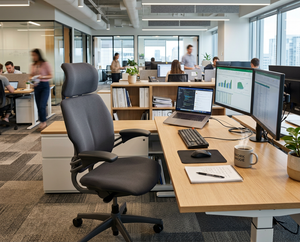
An adjustable seat should allow the user to place their feet firmly on the floor or a suitable foot support while keeping the knees in a comfortable position. At the same time, the forearms should be able to approach the work surface without the shoulders being forced upwards.
Do not use a chair’s total height as a substitute for seat height. The total measurement includes the base, seat and backrest, so it cannot tell you where the user will sit. If the product page lists only overall height, treat desk fit as unconfirmed until the seat measurement is available.
One current PU leather adjustable office chair lists a seat-height range of 49.5 to 58.5 cm, an overall footprint of 60 x 77 cm and a stated capacity of 120 kg. Those figures let a buyer test desk relationship, floor space and load suitability as separate questions rather than relying on appearance.
Backrest shape and contact matter more than a vague support claim
A backrest should allow the user to sit far enough back for the seat and back to work together. Consider its height, contour, firmness and the position of any shaped support. A fixed contour may suit one person well and miss another. Adjustable components can broaden the fit range, but only when their travel matches the user.
Look at how the user naturally works, too. A tall backrest and generous cushioning may suit someone who prefers a more enclosed, executive-style seat. A lighter mesh back may appeal to a buyer who values airflow and a less bulky visual profile. Neither material guarantees correct fit on its own.
Tilt should support movement, not create instability
Tilt can make it easier to vary position during the day, but buyers should distinguish between a simple rocking action and controls that provide more deliberate positioning. Product descriptions do not always use the same language, so confirm what the lever actually changes.
If a model offers tilt adjustment, check whether the user can reach and operate it while seated. Also note whether the chair remains easy to control at the preferred height. A feature that is awkward to adjust often stays unused.
Armrests can help or block access to the work surface
Armrests should be assessed against the user’s forearm position and the underside of the desk. Fixed arms may feel supportive, yet they can stop the chair before the body is close enough to the keyboard. This can lead to reaching forward even when the seat and backrest otherwise fit.
Measure from the floor to the lowest obstruction under the desk, including drawers, support rails and cable trays. Compare that clearance with the armrest height where the chair will actually be used. When product pages do not state armrest height, allow for that uncertainty rather than assuming the chair will tuck underneath.
Measure the Seat, Capacity and Desk Opening
Chair sizing is about usable space, not only the overall product dimensions. A broad external width may include armrests. Total depth may include a curved back or base. For body fit, the most helpful figures are seat width, seat depth and seat height. For room planning, overall width, depth and base size matter more.
Seat width and depth affect access to the backrest
The user should be able to sit within the seat without feeling confined by the armrests or side structure. Seat depth also needs attention: if the front edge reaches too far forward, a shorter user may struggle to sit against the backrest without pressure behind the knees. If it is too shallow, a taller user may feel that the thighs lack support.
When exact seat dimensions are absent from a listing, do not infer them from the chair’s overall size. Ask for the missing measurement or choose a model with clearer specifications if precise fit is a priority.
Stated capacity is a limit, not a sizing guide
Weight capacity and comfort are separate checks. A model can meet the user’s load requirement while still being too narrow, too deep or poorly aligned with the desk. Choose a chair with a stated capacity appropriate to the intended user, then continue checking the seat and adjustment range.
Capacity is also product-specific. Never apply the figure from one chair to another model that looks similar. Confirm it on the exact listing before purchase.
Desk clearance completes the fit calculation
Measure the desktop height, the clear opening beneath it and the distance between drawer units or legs. Then note where the keyboard and screen sit. The goal is to understand whether the chair can approach the active work area and still leave space for the user’s legs.
If the desk itself is part of the problem, compare chair measurements with the available computer desks and tables instead of treating the two purchases separately. A supportive chair cannot correct a workstation where the work surface is beyond its usable height range.
Compare Mesh, PU Leather and Padding by Use Case
Materials affect feel, airflow, care and appearance. They should be evaluated alongside the chair structure, because upholstery cannot compensate for unsuitable dimensions or missing controls.
Mesh suits buyers who prioritise airflow
Mesh is commonly chosen for its open construction and lighter feel. It can suit warmer rooms and workspaces where a large upholstered back would look visually heavy. Check whether mesh is used on the backrest, seat or both, because that changes the contact feel.
The current ergonomic mesh office chair with PU leather combines a mesh and PU leather finish with gas-lift adjustment, a 360-degree swivel, five nylon castors and a 320 mm chrome base. Its listed dimensions are 56 x 63 x 112.5-121.5 cm. That final range is overall chair height, not confirmed seat height, and the listing does not state a capacity; buyers needing those two figures should verify them before ordering.
PU leather offers a padded, wipe-clean surface
PU leather can suit an executive-style workspace or a buyer who prefers a smoother upholstered finish. Its surface is straightforward to wipe, though seams, joins and textured areas still need attention during cleaning. Compare the amount and placement of padding rather than treating all upholstered chairs as equally soft.
In an Australian home office without strong airflow, material choice may become more noticeable during longer sessions. Buyers who value cushioning can favour an upholstered seat while still considering a mesh back for airflow. The right combination depends on contact preference, room conditions and cleaning habits.
More padding is not the same as a better fit
Thick cushioning can feel inviting at first, but seat shape and support remain important. Padding that compresses unevenly or pushes the user away from the backrest can work against the intended position. Look for a seat that allows the user to settle fully into the chair while keeping the controls accessible.
Choose the Chair Type That Matches the Work Pattern
Ergonomic seating is not one fixed silhouette. Conventional swivel chairs, executive-style models and kneeling designs organise the body and workstation differently. Compare them by the role they need to perform.
Task-style chairs prioritise movement around the desk
A task-oriented chair is usually a practical choice for typing, administration, study and frequent movement within a compact workstation. Useful features can include a swivel seat, height adjustment, castors and a backrest that does not restrict the shoulders. It suits buyers who want everyday function without the visual mass of a large executive chair.
Check the base footprint before assuming a visually compact seat will occupy little floor space. The base and castors may extend beyond the upper chair, particularly when it swivels.
Executive-style chairs favour cushioning and a taller profile
Executive-style seating often uses more upholstery, a taller back and padded armrests. This can suit a dedicated office where the buyer values a substantial seat and a more formal appearance. The tradeoff is usually a larger footprint and potentially less under-desk clearance.
Before choosing this type, measure the chair’s full depth and the turning area behind the desk. Also decide whether fixed padded arms will support the user’s work position or interfere with access to the keyboard.
Kneeling chairs provide an alternative seating relationship
A kneeling chair changes where the body contacts the seat and adds a separate pad for the lower legs. It is not a direct substitute for every conventional office chair. Buyers need to consider the seat and kneeling-pad dimensions, the height relationship with the desk, ease of entry and whether the design suits the intended session length.
One adjustable kneeling office chair lists a 40 x 33 x 10 cm seat pad, a 40 x 22 x 10 cm kneeling pad, a 55-65 cm adjustable height range and a stated capacity of 100 kg. It also has a mesh backrest, four removable metal castors and two lockable wheels. These details make it possible to assess the contact areas and workstation relationship before choosing an alternative format.
Plan for the Room, Floor and Daily Movement
An office chair needs clear space to swivel, roll and move away from the desk. Measure the usable zone rather than the empty room. Filing units, shelving, power leads and nearby walls can reduce the chair’s actual movement area.
Base footprint and castors affect circulation
Check the widest point of the base and allow room for the user’s feet as well as the chair. In a small home office, a few extra centimetres of depth can decide whether the chair moves freely or constantly meets a wall. Think about the route into the seat too, particularly when a desk sits in an alcove.
Castor material should suit the floor and the way the chair will move. Check the product listing for the supplied wheel type, then consider whether the floor needs an appropriate protective surface. Keep loose power and charging cables away from the rolling area.
Build the chair into the whole workstation
Chair choice should be coordinated with screen position, keyboard reach, desk height and storage access. Browse the wider office furniture collection when planning a new room so that drawers, monitor equipment and shelves do not compete with the chair’s adjustment or travel.
A compact chair may be useful where floor space is tight, while a larger padded model can make sense in a dedicated room with generous clearance. The best option is the one that fits when the workstation is fully in use, not just when the chair is pushed neatly under the desk.
Use a Final Pre-Purchase Check
Before ordering, work through the decision in a fixed sequence. This helps separate essential fit requirements from attractive but secondary features.
- Record the intended user’s needs and the longest typical work session.
- Measure the desk height, under-desk clearance and available floor area.
- Confirm seat-height range rather than relying on overall chair height.
- Check usable seat width and depth where those figures are supplied.
- Match the stated weight capacity to the exact user and exact model.
- Decide whether fixed armrests will clear the desk and support the task.
- Compare backrest format, tilt, upholstery and padding by use case.
- Check the base, castors, swivel space and flooring relationship.
- Confirm assembly requirements and access for bringing the package into the room.
- Recheck all measurements on the live product page before checkout.
Do not fill specification gaps with assumptions. If seat height, capacity or another decision-critical figure is missing, treat that as a question to resolve. Overall dimensions can help with room planning, but they cannot prove body fit.
The most useful final test is physical: mark the chair’s stated footprint on the floor, pull the existing seat out as if standing up, and open every nearby drawer or door. That quick layout check can reveal a collision or blocked path that no feature list will show.
Frequently Asked Questions
How do I know if an ergonomic office chair will fit under my desk?
Measure from the floor to the lowest part of the desk, including drawers, rails and cable trays. Compare that figure with the chair’s armrest height at the seat setting you expect to use. If armrest height is not listed, fit remains unconfirmed. Also check the clear width between desk supports and leave enough depth for the base and castors to move freely.
Is a mesh office chair better for an Australian home office?
Mesh can be a practical choice when airflow and a lighter backrest are priorities, particularly in a warm room. It is not automatically more ergonomic than upholstery. Check the seat dimensions, adjustment range, backrest contour and desk clearance first. A mixed-material design can pair a mesh back with a padded or PU leather seat, giving the user airflow and a different contact feel.
What seat-height range should I look for in an office chair?
The right range depends on the user’s lower-leg length and the desk height, so there is no single measurement for everyone. The selected position should let the feet rest firmly while the forearms approach the work surface without raised shoulders. Use the listed seat height, not total chair height. If that measurement is missing, confirm it before relying on the chair for desk fit.
Are fixed armrests a problem on an ergonomic desk chair?
Fixed armrests are suitable when their height and spacing fit the user and clear the underside of the desk. They become a problem when they stop the chair moving close enough to the keyboard or force the elbows too far out. Measure the desk opening and check the user’s working posture. Adjustable or armless designs may be easier to fit in compact or shared workstations.
Is a kneeling chair suitable for full-day desk work?
A kneeling chair creates a different seating position and contact pattern, so suitability depends on the user, desk and session. Review the seat pad, kneeling pad, height range, stated capacity and ease of getting in and out. A buyer considering long sessions should not assume it will replace a conventional chair in every task. Confirm the dimensions and consider how position changes will be managed.
What should I check after assembling a new office chair?
Confirm that all components are fitted according to the supplied instructions, then test every adjustment before settling on a work position. Check that the chair sits level, the controls operate as described and the castors move appropriately on the chosen floor. Reassess desk and armrest clearance with the user seated. Keep the assembly information available for future adjustments and routine checks.
 Tags:
Tags: